

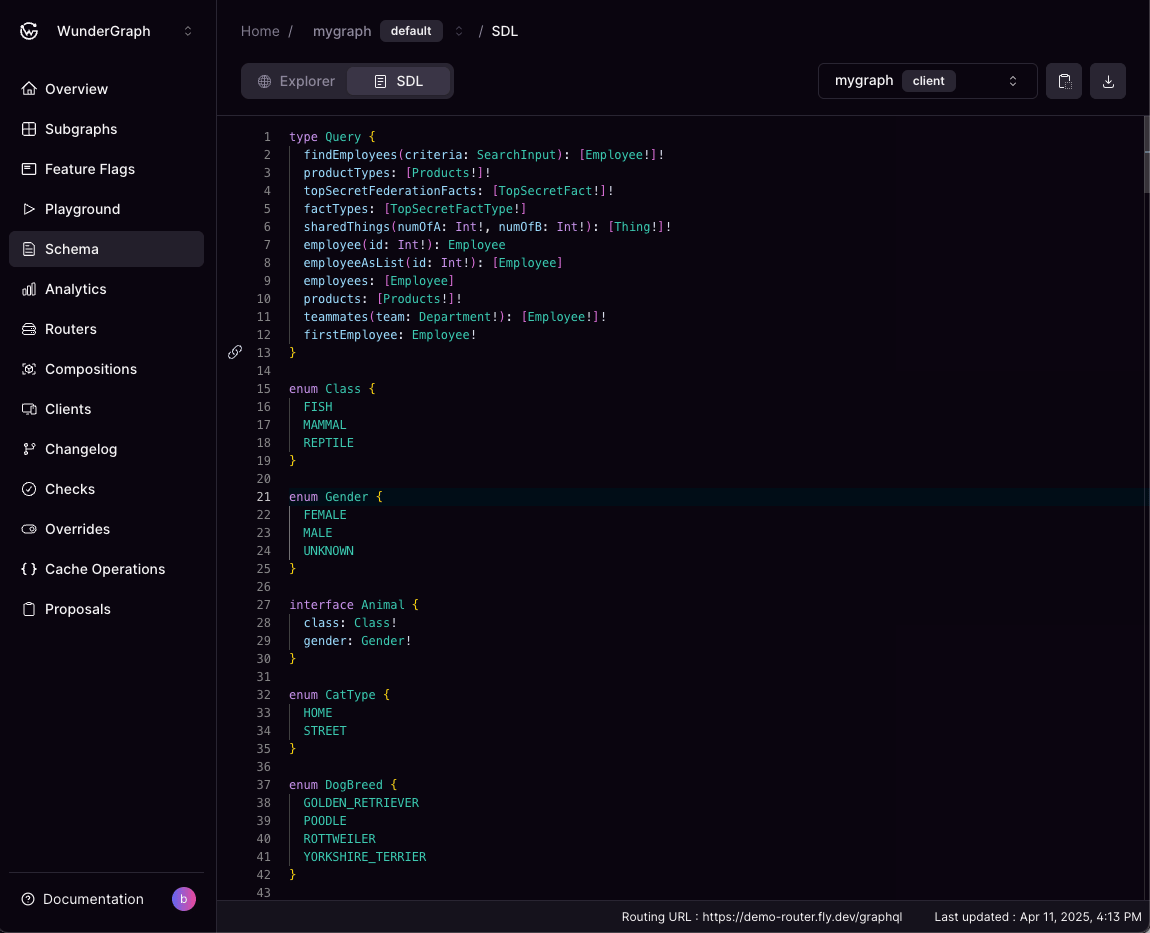
Schema Registry SDL view
Latest Schema State
Shows the most current version of your federated graph’s schema. This schema is the result of the composition of all subgraph schemas. It includes all types, fields, directives, and other schema elements that define your federated graph.Subgraph Schemas
In addition to the federated schema, this page also shows the individual schemas of all subgraphs in your federated graph. Select the one you want to view from the dropdown.Feature Flag Schemas
The dropdown also lists every feature flag that is part of the graph’s latest valid composition. Each flag offers its client and router schema, which are the result of composing the graph with that flag’s feature subgraphs swapped in for their base subgraphs. A warning icon next to a flag means its most recent composition failed, so the schema shown is from the last composition that succeeded.Feature Subgraph Schemas
Each feature flag also lists its own feature subgraphs. Selecting one shows the schema version that flag’s composition used.A feature subgraph is listed under a feature flag rather than alongside the base subgraphs because its schema is only well defined per flag. Feature flags compose independently, so a feature subgraph shared by two flags can appear at a different version under each, and either version can be behind the latest published one if a later composition failed.
Copy and Download Schemas
You’ll find buttons to copy or download the schema as a.graphql file, which you can open in any text editor or import into various development tools.